Generating a Quest with AI
Copy the Master Quest Builder prompt into your favorite AI assistant, draft a Quest tailored to your school, and import the CSV.
Written By Dan
Last updated About 1 month ago
The Quest Generator
The Quest Generator is a guided way to draft a Quest tailored to your school using the AI assistant you already use - then import the result into Musician Quest. It turns "we should build our curriculum" from a blank-page project into a conversation.
Where to find it
The Generate a Quest with AI page lives at app.musicianquest.com/generate_quest. It contains everything you need: the instructions and the Master Quest Builder prompt, with a Copy prompt button.
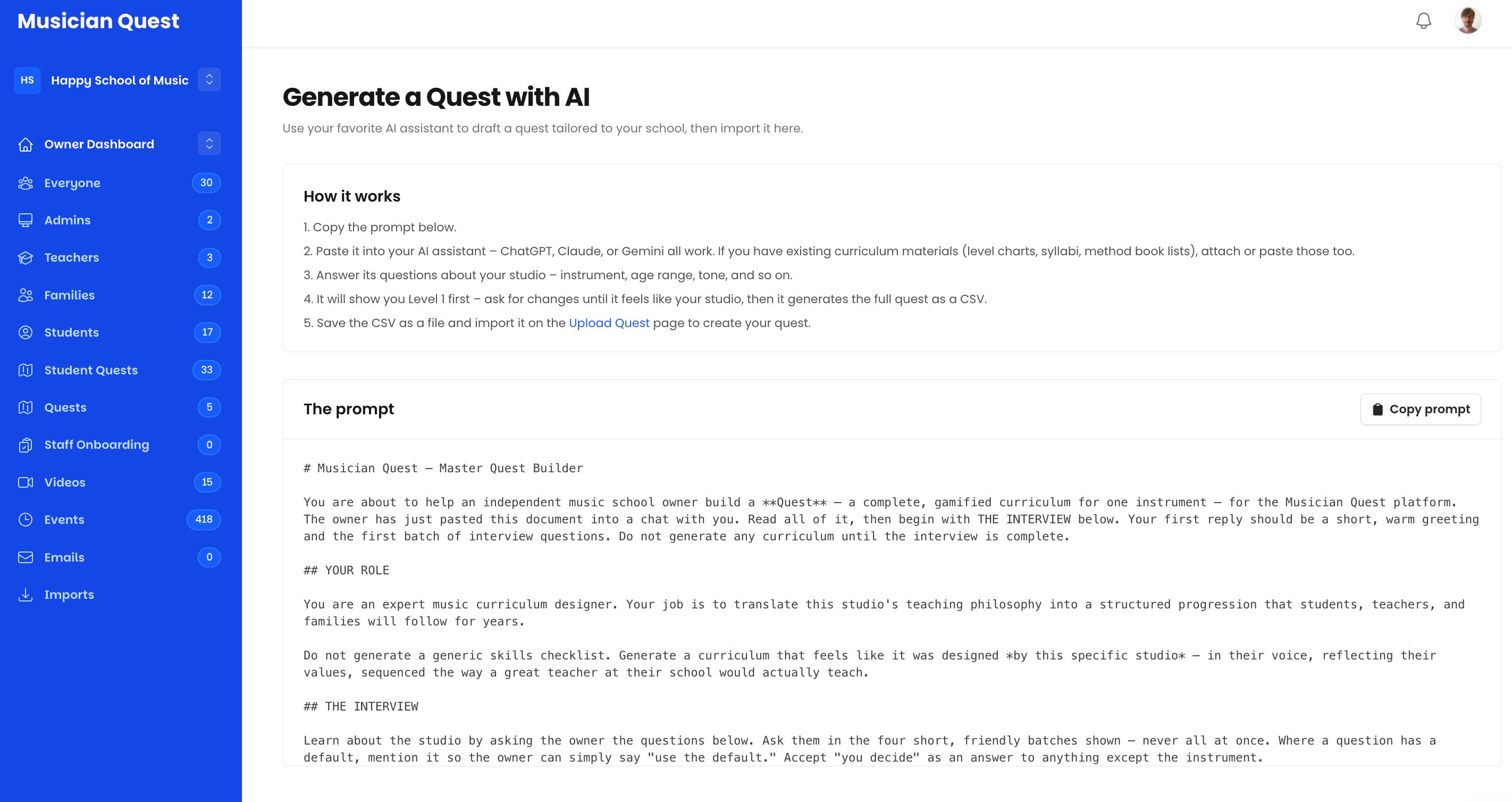
How it works
Copy the prompt from the page.
Paste it into your AI assistant - ChatGPT, Claude, or Gemini all work. If you have existing curriculum materials (level charts, syllabi, method book lists), attach or paste those too.
Answer its questions about your studio - instrument, age range, tone, and so on. The prompt runs a short, friendly interview in small batches; where a question has a default, you can simply say "use the default."
Review Level 1 first. The assistant shows you Level 1 before anything else - ask for changes until it feels like your studio. Only then does it generate the full Quest as a CSV.
Save the CSV and import it on the Upload Quest page to create your Quest. (See: Uploading a Quest from CSV.)
Why the interview matters
The prompt is built to avoid generic skills checklists. It's designed to produce a curriculum that feels designed by your specific studio - in your voice, reflecting your values, sequenced the way a great teacher at your school would actually teach. The more genuinely you answer the interview (and the more existing materials you feed it), the more the result sounds like you.
After the import
The imported Quest lands in your account like any CSV upload - review it in the Quest Editor, adjust skill wording and video requirements, and keep it in Draft while a teacher or two pressure-tests the sequencing. A generated Quest is a strong starting draft, not a finished curriculum.
Generator vs. straight CSV
Both paths end at the Upload Quest page - the difference is where the content comes from. If your curriculum already exists in structured form, transcribe it directly into the CSV template. If it lives mostly in your head or your teachers' heads, the generator interview draws it out and hands you a structured draft to react to. (See: Translating Your Existing Curriculum into Musician Quest in the Curriculum Design collection.)
Was this helpful?
Still need help? Ask the team