Writing Skill Names and Descriptions Families Can Understand.
Every skill you write ends up in a family's inbox. Write for the parent, not the conservatory.
Written By Dave Hemann
Last updated About 1 month ago
Here's the thing to hold onto while writing skills: every skill name you write will eventually appear in a progress email, read by a parent with no musical training, as evidence of what their child accomplished. Write for that moment.
The test
Read the skill name aloud and ask: would a parent understand what their kid can now do - and feel something?
"Demonstrates consistent temporal subdivision" - fails both.
"Plays with a steady beat, like a drummer keeping the band together" - passes both.
Guidelines for skill names
Lead with the action. "Play," "read," "perform," "improvise," "name" - the student does something.
Be concrete. "Play a C major scale, hands together" beats "Scale proficiency."
Keep jargon out of the name. If a technical term is essential, put it in the description with a translation.
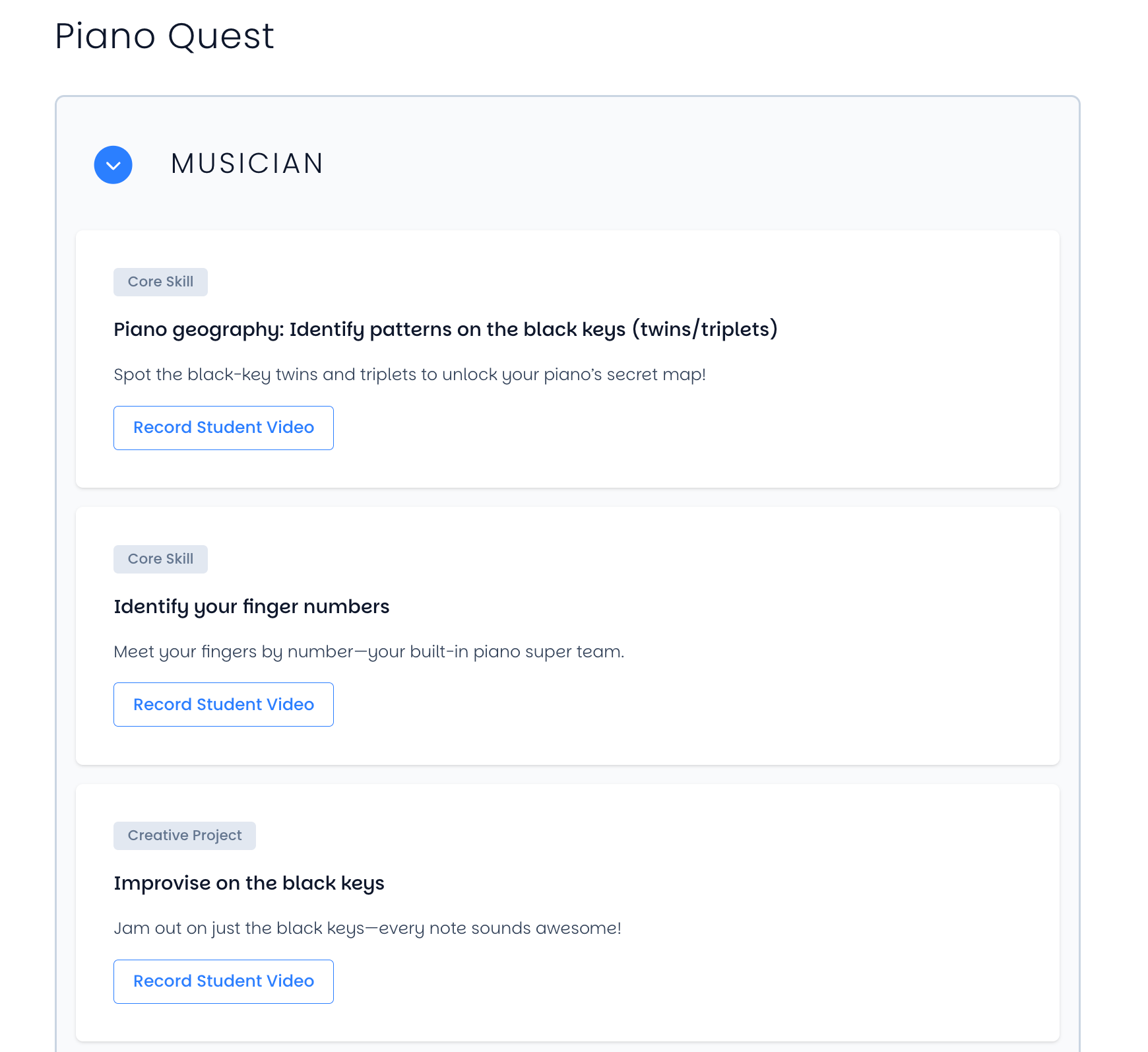
Let personality in where it fits. The ready-made Quests include skills like "Give your piano a name!" and "Improvise on the black keys" - playful names signal that music is joyful, and families smile when they land in the inbox.
Guidelines for descriptions
The description is your translation layer - a sentence or two that tells a family what the skill means and why it matters:
Explain the why. "Playing hands together is the moment piano becomes two-handed music - a huge coordination milestone."
Define any necessary term. "Sight-reading means playing music they've never seen before, on the first try."
Stay short. Two sentences is the sweet spot. The email has several skills to show; each one gets a moment, not an essay.
The teacher text field completes the picture
Skill names and descriptions are written once, for every student. The teacher text field is where the specific student's story gets added at completion time - the song title, the exercise, the note about how they got there. Enable text fields on skills where the specifics matter ("Perform a full song" - which song?), and your generic skill becomes a personal accomplishment in the email. (See: Anatomy of a Skill in the Quests & Curriculum collection.)
A quick calibration exercise
Pick five skills from your draft Quest and imagine each as the subject line moment of an email to a non-musician parent. Any skill that would make a parent squint gets rewritten. It's fifteen minutes that upgrades every email your studio will ever send.
Was this helpful?
Still need help? Ask the team