Importing Your People
Bringing teachers, admins, students, and families into Musician Quest.
Written By Dave Hemann
Last updated About 2 months ago
Before Quests can be assigned, your people need accounts.
This article covers bringing teachers, admins, students, and families into Musician Quest from your studio management system.
Where it happens: the Imports tab
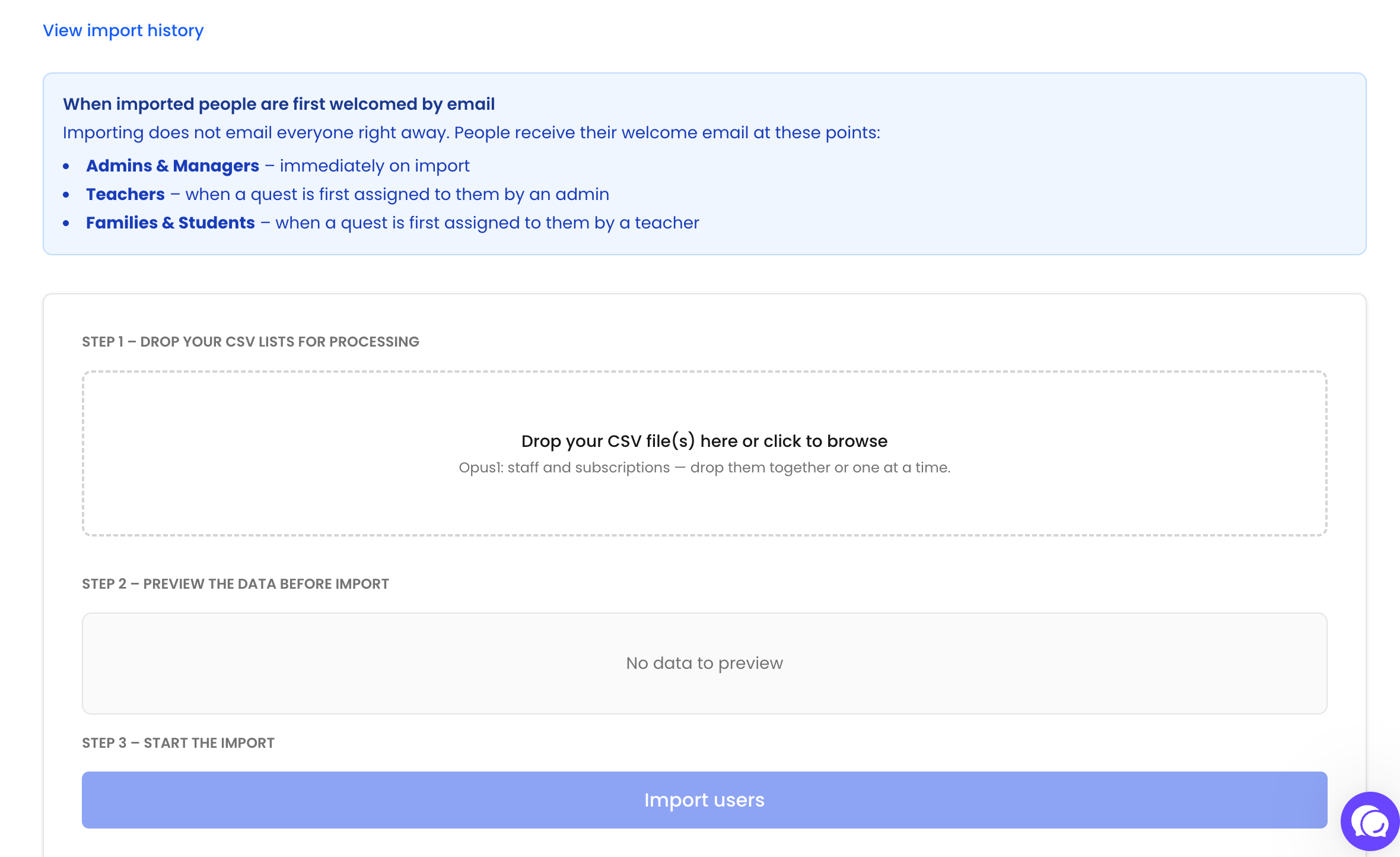
User imports live on the Imports tab of your Owner Dashboard. The flow is three steps:
Drop your CSV files - export your lists from your studio management system and drop them into the upload area, together or one at a time. The format is detected automatically - Opus1 and My Music Staff exports are both supported.
Preview the data - a preview and validation run right in your browser before anything is imported, so you can confirm everything looks right.
Start the import - click Import users and Musician Quest creates the accounts.
A View import history link on the same page shows your past imports.
Importing from Opus1
If your studio runs on Opus1, export two lists:
Staff list: Staff → All Staff → Export CSV
Subscriptions list: Reporting → Subscriptions (with Appointments Only checked) → Export CSV: All Columns
Drop both files together - or import just one: the staff list alone imports teachers (plus admin and manager staff if you opt them in), while the subscriptions list alone imports students and families, linking their classes to same-named teachers already in your school.
When people get their welcome email
Importing does not email everyone right away. Welcome emails go out at the natural starting point for each role:
Admins & Managers - immediately on import
Teachers - when a Quest is first assigned to them by an admin
Families & Students - when a Quest is first assigned to them by a teacher
A note on timing
Because of that staggered welcome flow, nothing family-facing happens until a teacher assigns a student their Quest. You can import your entire roster on day one, take your time with teacher onboarding and Quest setup, and families won't see a thing until you're ready for them to.
Was this helpful?
Still need help? Ask the team