Lobby and Handout Materials
The physical layer of the rollout — posters, handouts, and the reward display that markets the system all day.
Written By Dave Hemann
Last updated About 1 month ago
Musician Quest lobby materials
Musician Quest lives mostly in emails and dashboards - but the rollout has a physical layer, and it does more work than you'd expect. Here's what to put in the room.
The lobby poster
A poster introducing Musician Quest belongs in your lobby from announcement week onward. It has two audiences: current families (it legitimizes and explains the emails they're starting to receive) and prospective families (it signals, before anyone says a word, that this studio does progress differently).
Keep it family-voiced - what they'll experience, not how the system works: watch real videos of your musician, follow the path from Level to Level, celebrate milestones at the desk.

MusicianQuest Lobby Poster 12x18.pdf
436.8 KB• Document
The reward display
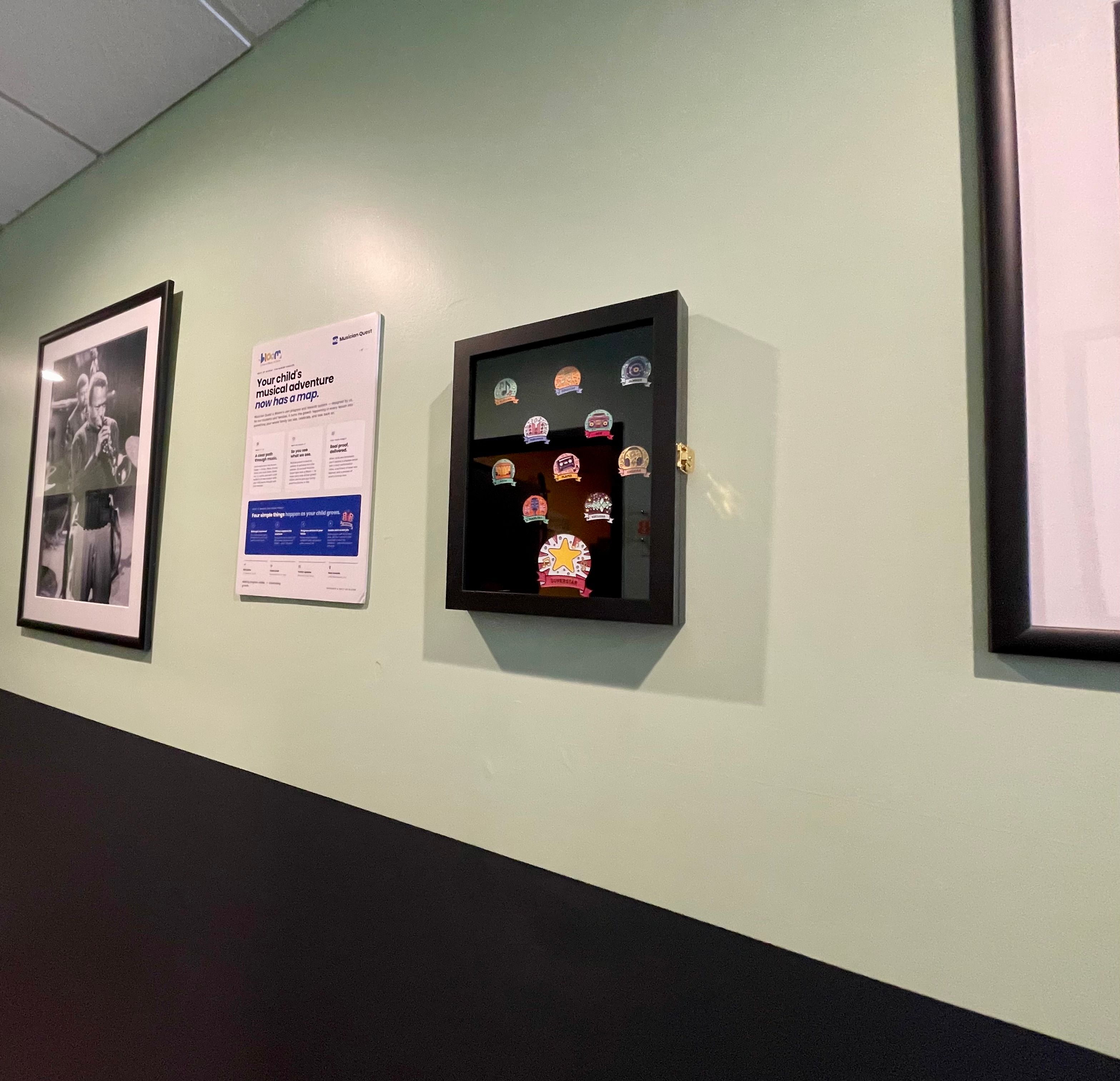
If your rewards are collectible - pins especially - display the full set somewhere prominent: a framed board or case near the desk, each reward labeled with its Level name.
This is quietly the most powerful object in the lobby. Students stand in front of it and locate themselves on the ladder. Younger siblings pick favorites. Parents see, physically, that the journey has years of path in it. A reward display is a map of the future your studio is promising - make it beautiful.
Family handouts
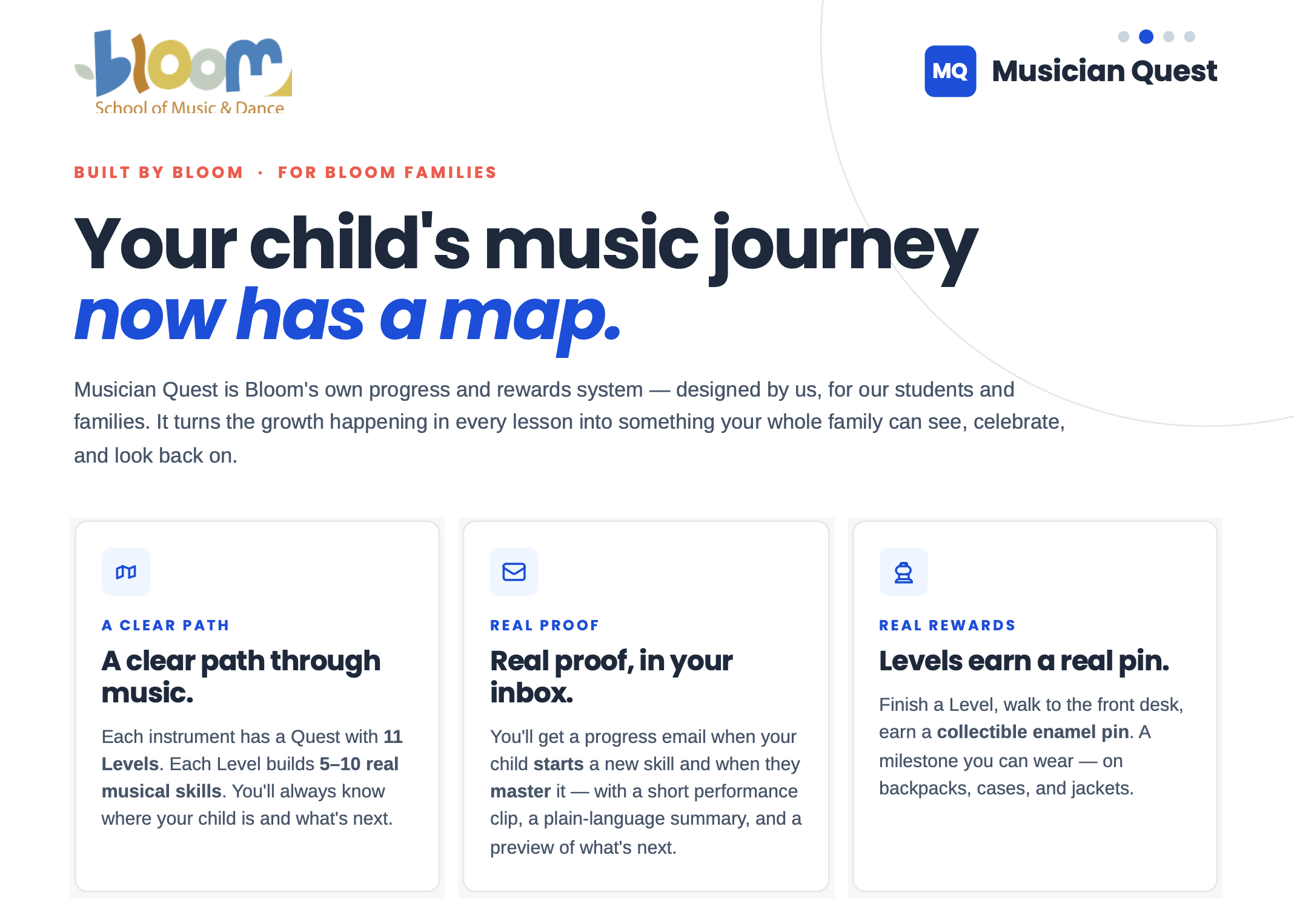
MQ Family Handout.pdf
216.4 KB• Document
A short handout for the front desk to give at announcement time and to every new enrollment:
What Musician Quest is, in two family-voiced sentences
What arrives in the inbox and when
How to log in to the family portal
Who to ask with questions (the desk!)
The handout's real job is making the welcome email expected - a family who's been told "you'll get an email to set your password when the teacher starts the Quest" doesn't let it die in spam.
Teacher quick-reference
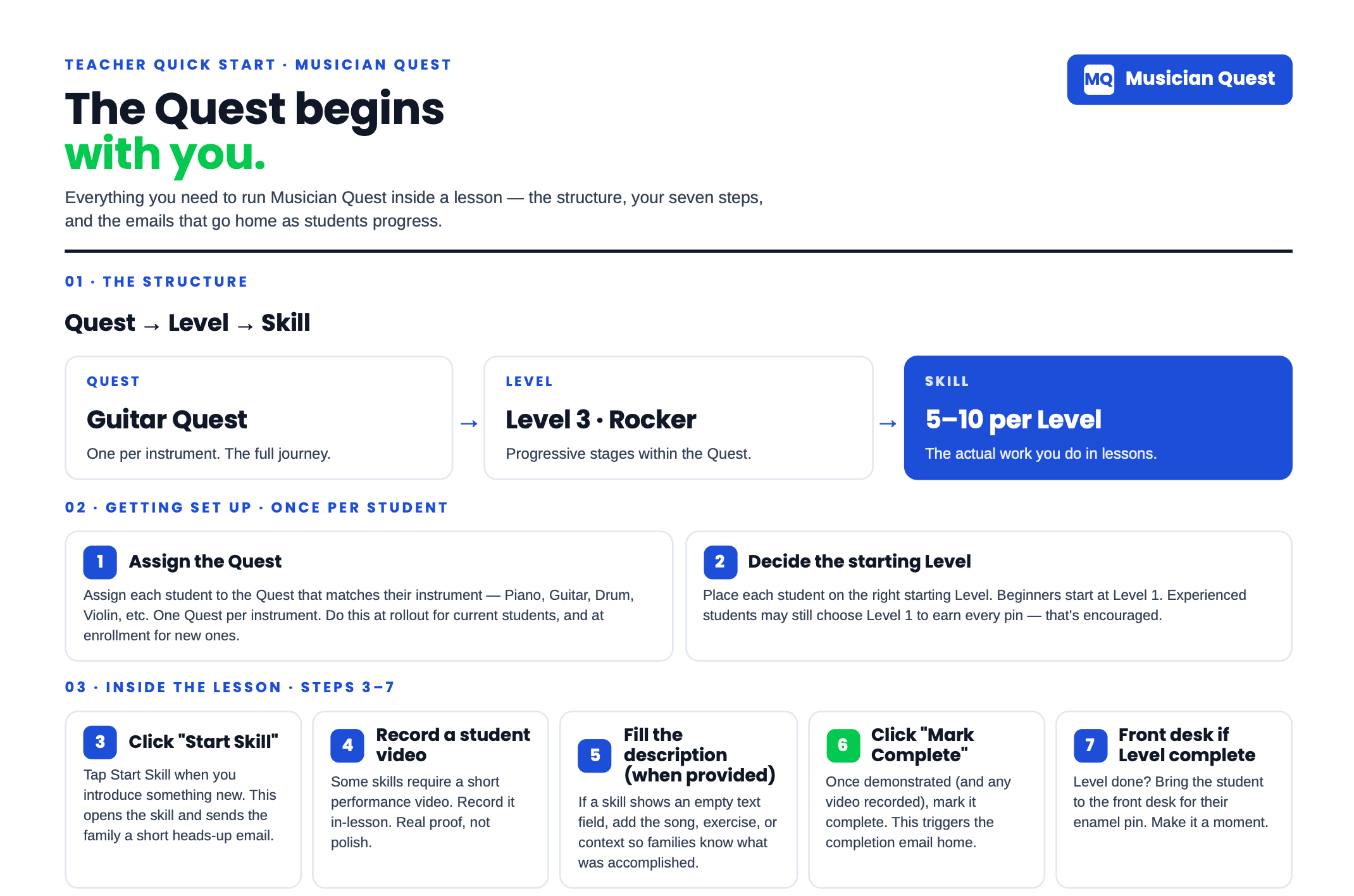
Musician Quest Teacher QuickStart.pdf
100.5 KB• Document
A one-page quick-start for the teaching staff - the six-step loop, the before-lesson checklist, the video standard - posted in teaching rooms or tucked into each teacher's folder. Teachers shouldn't have to remember a meeting; the wall remembers for them.
Placement notes
Poster: where waiting parents face, not behind them.
Reward display: at student eye level, near the desk - the ceremony and the map belong together.
Handouts: on the desk, not behind it, so families can take one unprompted.
Was this helpful?
Still need help? Ask the team