Your Monthly Activity Email
The monthly recap email teachers receive on the 1st: what's in it, the quieter-month and invitation variants, and when it's skipped.
Written By Dan
Last updated 29 days ago
This article is for Teachers. Owners and Admins: this email goes to teachers about their own activity - it's separate from the progress emails families receive.
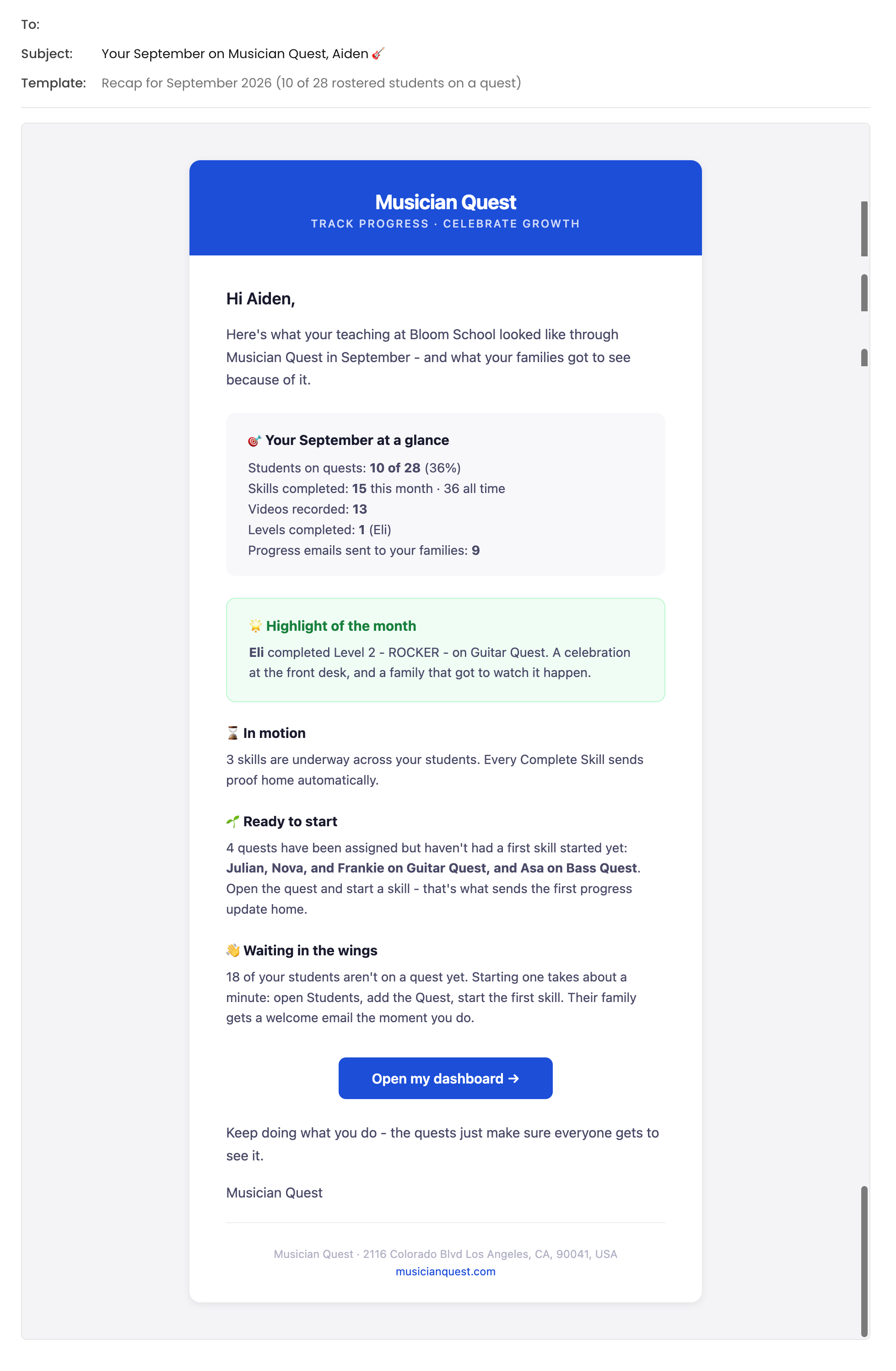
On the 1st of each month, Musician Quest sends you a recap of what your teaching made visible the month before.
It comes from Musician Quest itself (not from your school), it's a no-reply email, and nothing in it is generated by AI - it's your real numbers, assembled for you.
What's in the recap
Your month at a glance - students on quests out of your roster, skills completed (this month and all time), videos recorded, levels completed (with the students named), and how many progress emails went to your families because of your work.
Highlight of the month - a student's Level completion worth remembering.
In motion - how many skills are underway across your students.
Ready to start - quests that have been assigned but haven't had a first skill started yet, named student by student. Opening the quest and starting a skill is what sends the first progress update home.
Waiting in the wings - students on your roster not yet on a quest, with the one-minute path to starting one.
A quieter month gets a shorter, friendlier version of the same email - where things stand, and the quickest way to get some wins on the board.
If none of your students are on a quest yet
Instead of a recap, you'll get a short invitation email with the three steps to get your first student started: open Students, add their Quest, start their first skill. Their family gets a welcome email the moment you do.
When it's skipped
If there's nobody on your roster yet, there's nothing to recap, so no email is sent that month.
One thing worth knowing
This email always reaches you, even at schools that have paused family-facing quest emails - it's internal staff mail about your own work, not family communication.
Was this helpful?
Still need help? Ask the team